The same creator of Malware Museum has brought to light, together with a group of volunteers from Archive.org, a huge database for Windows 3.1 applications, all executables via browser without installing third-party emulators. Jason Scott has created for Windows 3.1 that was able to do for MS-DOS and other gaming platforms. Thanks to his efforts and those of the team of volunteers, in short, many applications now forgotten revise the light on the web.

The result is a collection consisting of 1523 programs, including historical classics such as Oregon Trail or Karateka, perfectly executed via browser without having to install new software, follow tutorials or download packages. The software runs on the browser within an emulator developed in JavaScript and procedures are fully automated. Among the applications there is a large part of the history of Windows and with the platform compatible shareware, offered for free now to delight the most nostalgic audience.
"As a curator software," explains Scott to ArsTechnica, "I have been a long time to collect any type of application, from the driver CD of the old network cards to applications." All software is saved on an FTP and, as the collection grew, it was assumed that a solution to make it possible to run the software as quickly as possible. The DOSBOX emulator used by Archive.org needs to download a part of the operating system for each software running, an operation that could prove the long frustrating.
It has been a volunteer for doing "the dirty work", to squeeze in just 1.8 megabytes Windows files needed to launch each database instance without having the need to optimize the application for a single app running. To access the database you need to simply direct their browsers to this page and select the software you want to run. The choice is vast, and includes shareware of all types, from play to your Windows installation clean 3.1 in which to save our jobs prepared with Notepad or with other native apps.
Thanks to Jason Scott work with a couple of clicks you can get back to more than 20 years ago and try the computing flavor of those times. Taste probably forgotten and that new generations will struggle to understand, but we are sure that it will be able to bring down some tear to those born and bred with the user interface of the text of the first models and operating systems with graphical interface. But the purpose of Scott is not only nostalgic, but also educational, and gives the opportunity to young people to really interact with the old platforms and not just admire them through screenshots.
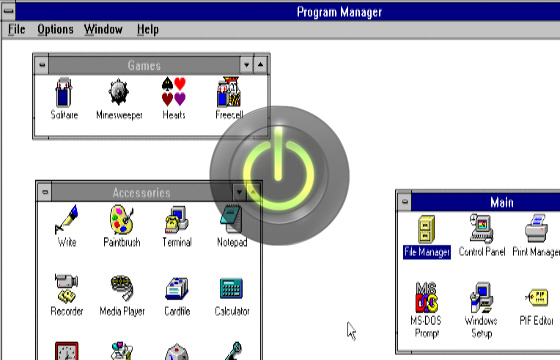
The result is a collection consisting of 1523 programs, including historical classics such as Oregon Trail or Karateka, perfectly executed via browser without having to install new software, follow tutorials or download packages. The software runs on the browser within an emulator developed in JavaScript and procedures are fully automated. Among the applications there is a large part of the history of Windows and with the platform compatible shareware, offered for free now to delight the most nostalgic audience.
"As a curator software," explains Scott to ArsTechnica, "I have been a long time to collect any type of application, from the driver CD of the old network cards to applications." All software is saved on an FTP and, as the collection grew, it was assumed that a solution to make it possible to run the software as quickly as possible. The DOSBOX emulator used by Archive.org needs to download a part of the operating system for each software running, an operation that could prove the long frustrating.
It has been a volunteer for doing "the dirty work", to squeeze in just 1.8 megabytes Windows files needed to launch each database instance without having the need to optimize the application for a single app running. To access the database you need to simply direct their browsers to this page and select the software you want to run. The choice is vast, and includes shareware of all types, from play to your Windows installation clean 3.1 in which to save our jobs prepared with Notepad or with other native apps.
Thanks to Jason Scott work with a couple of clicks you can get back to more than 20 years ago and try the computing flavor of those times. Taste probably forgotten and that new generations will struggle to understand, but we are sure that it will be able to bring down some tear to those born and bred with the user interface of the text of the first models and operating systems with graphical interface. But the purpose of Scott is not only nostalgic, but also educational, and gives the opportunity to young people to really interact with the old platforms and not just admire them through screenshots.
Comments
Post a Comment