If you’ve used Formget in the past few years, there’s a good chance we know about it.
Formget bills itself as an online form maker and email marketing company based in Bhopal, India. The company allows its 43,000 customers to create online forms so others can submit their resumes or apply for a job, or provide proof of address or employment, buy goods online, and more.
How do we know? Because the company left one of its cloud storage servers online and exposed without a password.
An anonymous security researcher found Formget’s exposed Amazon S3 storage bucket and informed TechCrunch in the hope of getting the data secured. Formget pulled the bucket offline overnight after we reached out to the company on Wednesday. But the company’s founder and chief executive Neeraj Agarwal did not respond to several emails and follow-ups requesting comment.
The storage bucket was packed with hundreds of thousands of files and documents. The storage bucket had a folder for each year dating back to 2013 contained sub-folders for each month, filled with user-uploaded documents.
Some of the files we reviewed contained highly sensitive information, including:
- Scans of several passports — including U.S. passports — and other scanned documents, like pay checks, Social Security numbers, driver’s licenses, national identity cards, and more;
- Letters from Veterans Affairs certifying former veterans of service-connected disability compensation, including the amounts paid;
- Details of obtained loans and mortgages, including amounts, interest rates, and histories, as well as bank account statements, gas bills, military discharge from active duty forms and other similar proof of residency;
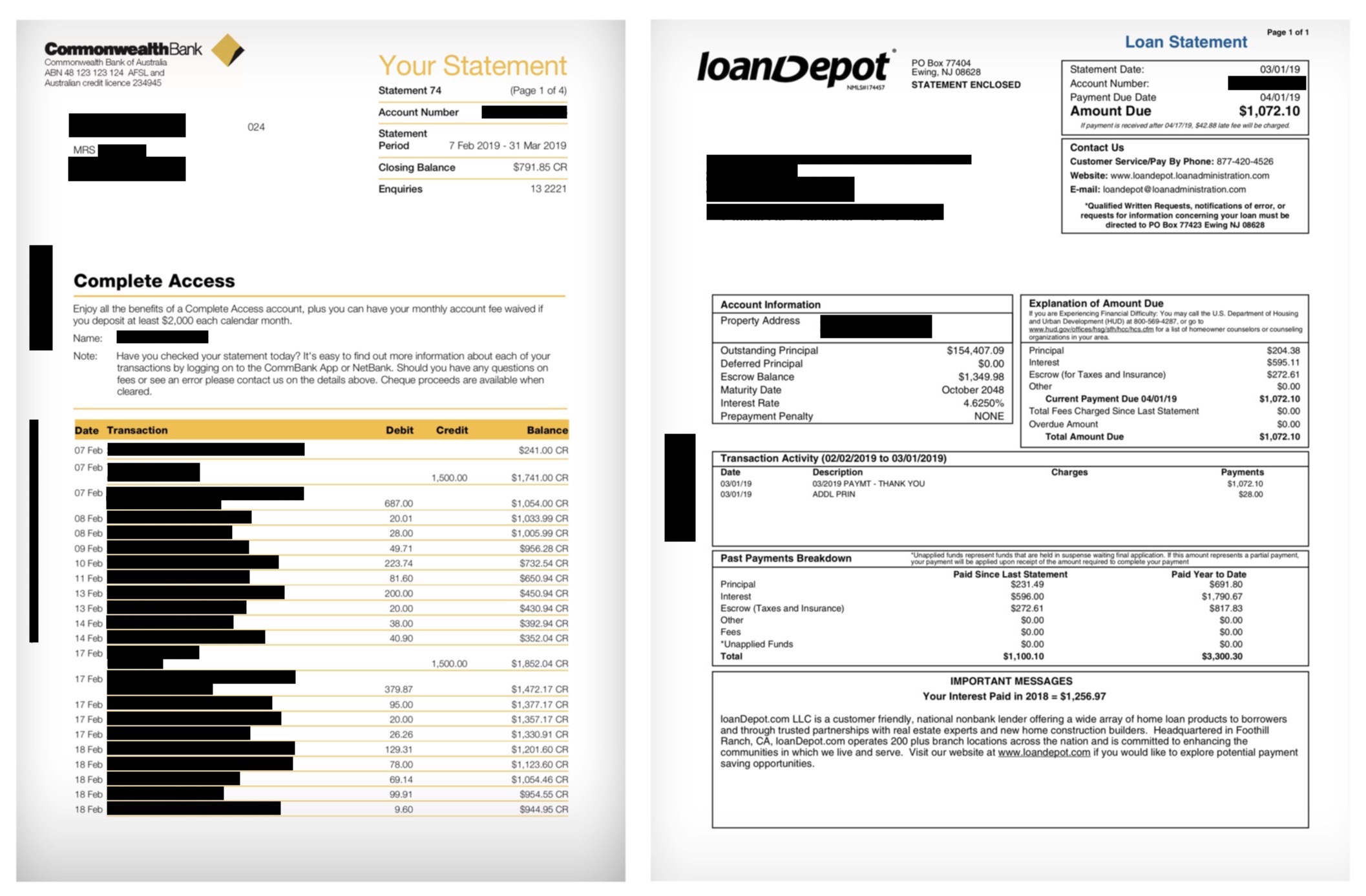
Several proof-of-residency documents, including bank and loan statements, found on the exposed server. (Image: TechCrunch)
- Several internal corporate documents, including cybersecurity assessment summaries for several banks and financial institutions labeled “confidential” and for “internal use only”;
- UPS shipping labels, including names and phone numbers, and the shipping contents;
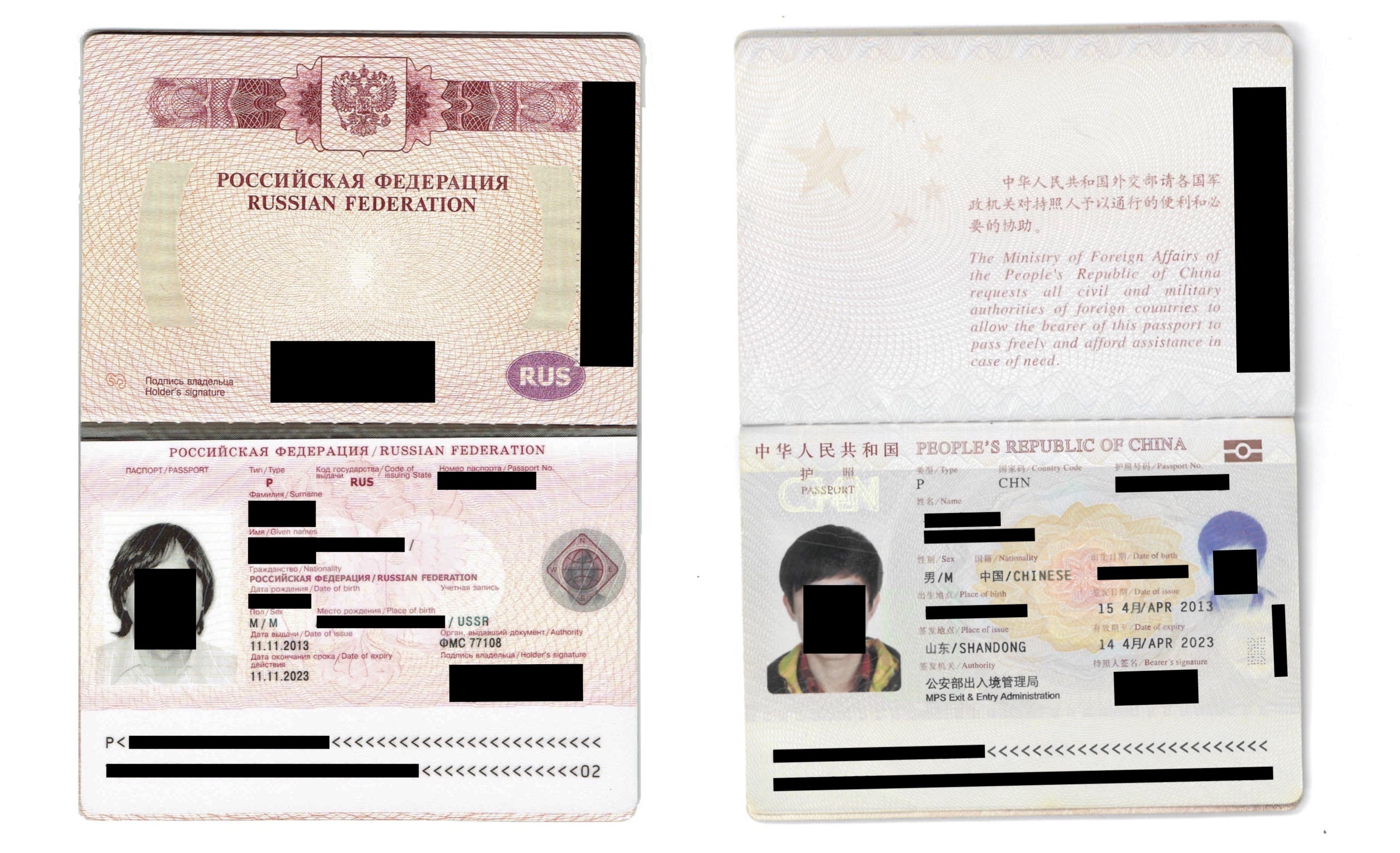
Two passports of many documents exposed by Formget. (Image: TechCrunch)
- Resumes, including names, postal and email addresses, phone numbers, education backgrounds and job histories.
- Invoices from Google, Zoom, and even from Formget itself, for billed services — in some cases including the name, address and partial credit card numbers;
- And several airline and hotel booking receipts.
These kinds of data exposures — where private data is mistakenly made public — has become a common security problem over the years. There have been several cases of inadvertent data exposures from changing storage server permissions to public. Earlier this year millions of mortgage documents were left exposed. Scraped Facebook data was up for grabs in a similar data leak. Last year, an entire Washington state internet provider left its “keys to the kingdom” exposed because of a configuration error.
Although companies often chalk up the exposures to human error, in reality it’s not so easy to inadvertently make private cloud data public.
One senior cloud security engineer who spoke to TechCrunch on background said that the major cloud services have worked hard to keep data safe by default.
“In the case of Amazon, the default settings on an S3 bucket are private — no direct unauthorized internet access is allowed,” the engineer said. Amazon also provides free tools for scanning a user’s cloud infrastructure to look for misconfigurations.
“When there are these reports in the news of massive leaks, it’s getting harder to point the blame at the cloud provider,” the engineer said. “On any installation in the past several years, developers have to go out of their way to expose these records.”
“Once an organization leaks data in a grossly negligent way like this, they have little to blame but themselves,” the engineer said.


from TechCrunch https://ift.tt/2K61fe0
via IFTTT
Comments
Post a Comment