Google announced this morning it’s expanding its two-year-old digital safety and citizenship curriculum for children, “Be Internet Awesome,” to now include media literacy — specifically, the ability to identify so-called “fake news” and other false content. The company is launching six new media literacy activities for the curriculum that will help teach kids things like how to avoid a phishing attack, what bots are, how to verify that information is credible, how to evaluate sources, how to identify disinformation online, spot fake URLs, and more.
The new media literacy classes — which frankly, some adults should read through as well — were developed in collaboration with Anne Collier, executive director of The Net Safety Collaborative, and Faith Rogow, Ph.D., co-author of The Teacher’s Guide to Media Literacy and a co-founder of the National Association for Media Literacy Education.
“We need the right tools and resources to help kids make the most of technology, and while good digital safety and citizenship resources exist for families, more can be done for media literacy,” writes educator and teachmama.com founder Amy Mascott, in an announcement on Google’s blog today. “I’ve worked alongside dozens of educators who believe that media literacy is essential to safety and citizenship in the digital age, but agree that it’s a topic that can be tough to cover.”
The courses offer kids not only instruction, but also a combination of activities and discussion starters aimed at helping them develop critical thinking skills when it comes to pursuing online resources.
Its overall theme, the course material explains, is to help kids understand that the content they find online isn’t necessarily true or reliable — and it could even involve malicious efforts to steal their information or identity.
The kids learn how phishing works, why it’s a threat, and how to avoid it. They then practice their anti-phishing skills by acting out and discussing reactions to suspicious online texts, posts, friend requests, pictures, and emails.
In the bots section, they learn about how A.I. works and compare and contrast talking to a bot versus talking to a human being.
In the following media literacy sections, kids learn what a credible source is, how to figure out what a source’s motives are, and learn that “just because a person is an expert on one thing doesn’t make them an expert on everything.”
In a related classroom activity, the kids pick a question related to something they’ve seen online or are learning in class and try to get the answers online, while figuring out if the sources are credible.
They also learn to fact check credible sources with other credible sources as a way to look for a variety of sources.
“If you can’t find a variety of credible sources that agree with the source you are checking, you shouldn’t believe that source,” the curriculum explains.
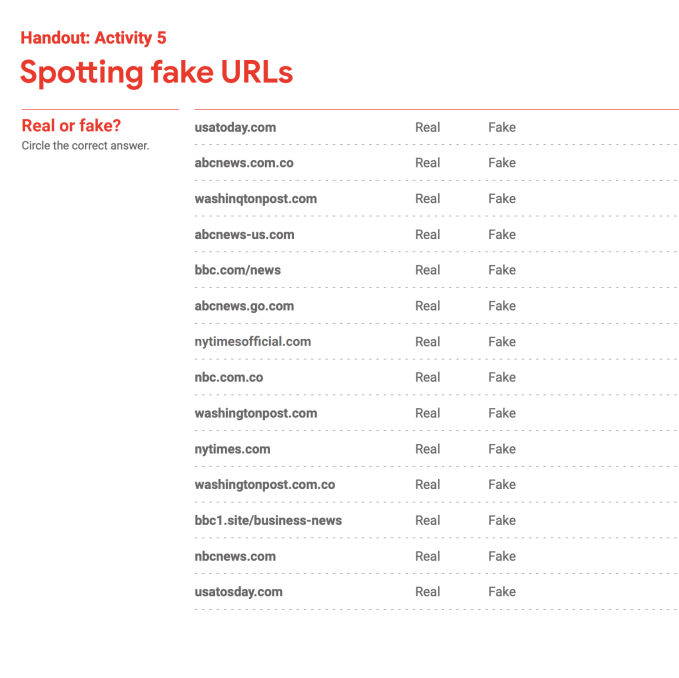
Kids are additionally taught how to spot fake information using clues like deceptive URLs as well as checking the sources for credibility. They’re told that some people don’t know how to do this, and share fake information online — which is how it spreads.
“There are a lot of people and groups who are so passionate about what they believe that they twist the truth to get us to agree with them. When the twisted information is disguised as a news story, that’s disinformation,” the curriculum says.
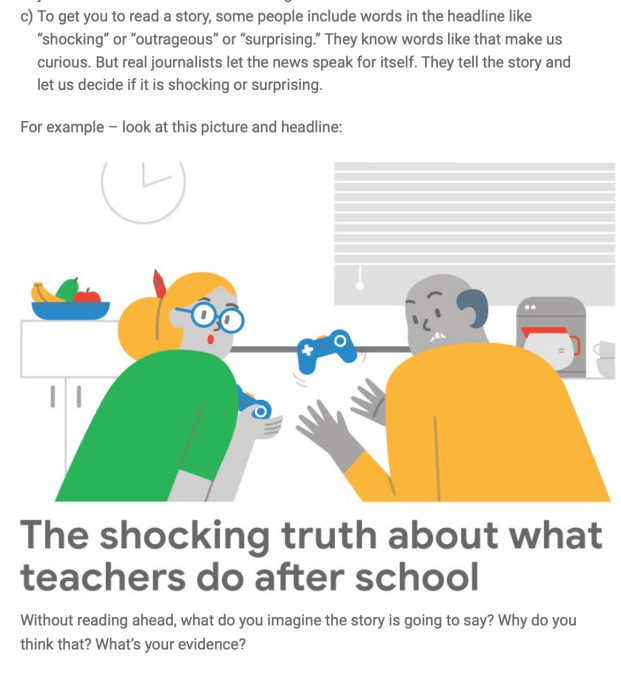
Kids are also informed that some of the fake news organizations are hard to spot because they use names that sound like they’re real.
And the course delves into various tricks some websites use — like using photos that don’t relate to the story, using clickbait words like “shocking” or “outrageous” which they know make people curious,” using bold, underline, exclamation points or ALL CAPS, to convince you to agree with them.
This section concludes with an online game, Reality River, that asks kids to use their best judgment in order to cross the river rapids. This takes place in Interland, the game developed as a companion to Google’s digital safety and citizenship curriculum.

The overall goal of the media literacy course is to encourage the kids to make checking all news and information a habit — not just those they think seem suspicious.
Google says the new curriculum is available online for both teachers and families alike to use, and are offered in English, Spanish and eight other languages.
Google is partnering with the YMCA and National PTA across multiple cities to host online safety workshops, as well.
from TechCrunch https://tcrn.ch/2Y7Y0c1
via IFTTT
Comments
Post a Comment