
Gmail on mobile gets a fresh coat of Material Design paint

Gmail on mobile will soon get a new look. Google today announced that its mobile email apps for iOS and Android are getting a redesign that is in line with the company’s recent Material Design updates to Gmail, Drive, Calendar and Docs and Site. Indeed, the new UI will look familiar to anybody who has ever used the Gmail web app, including that versions ability to select three different density styles. You’ll also see some new fonts and other visual tweaks. In terms of functionality, the mobile app is also getting a few new features that put it on par with the web version.

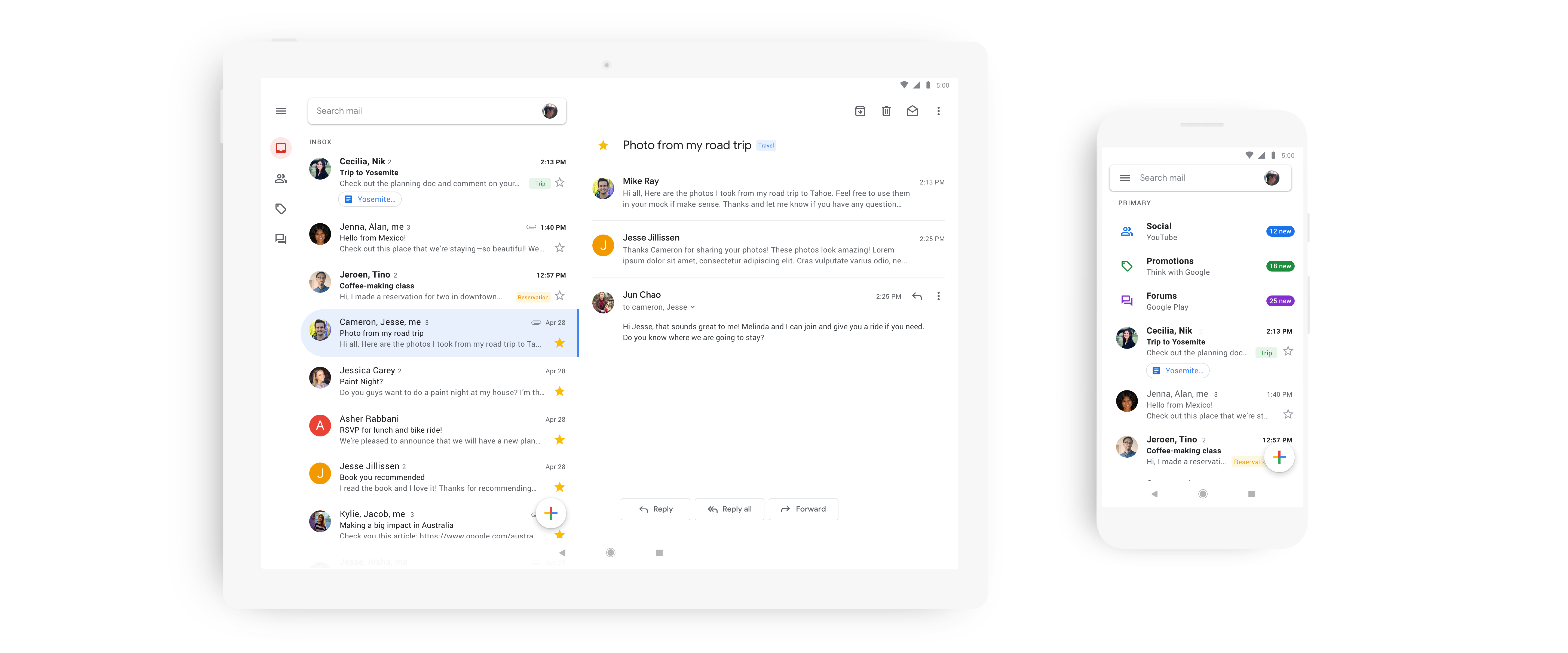
Like on the desktop, you can now choose between the default view, as well as a comfortable and compact style.  The default view features a generous amount of white space and the same attachment chips underneath the email preview as the web version. The comfortable view does away with those chips and the compact view removes a lot of the space between messages to show you more emails at a glance.
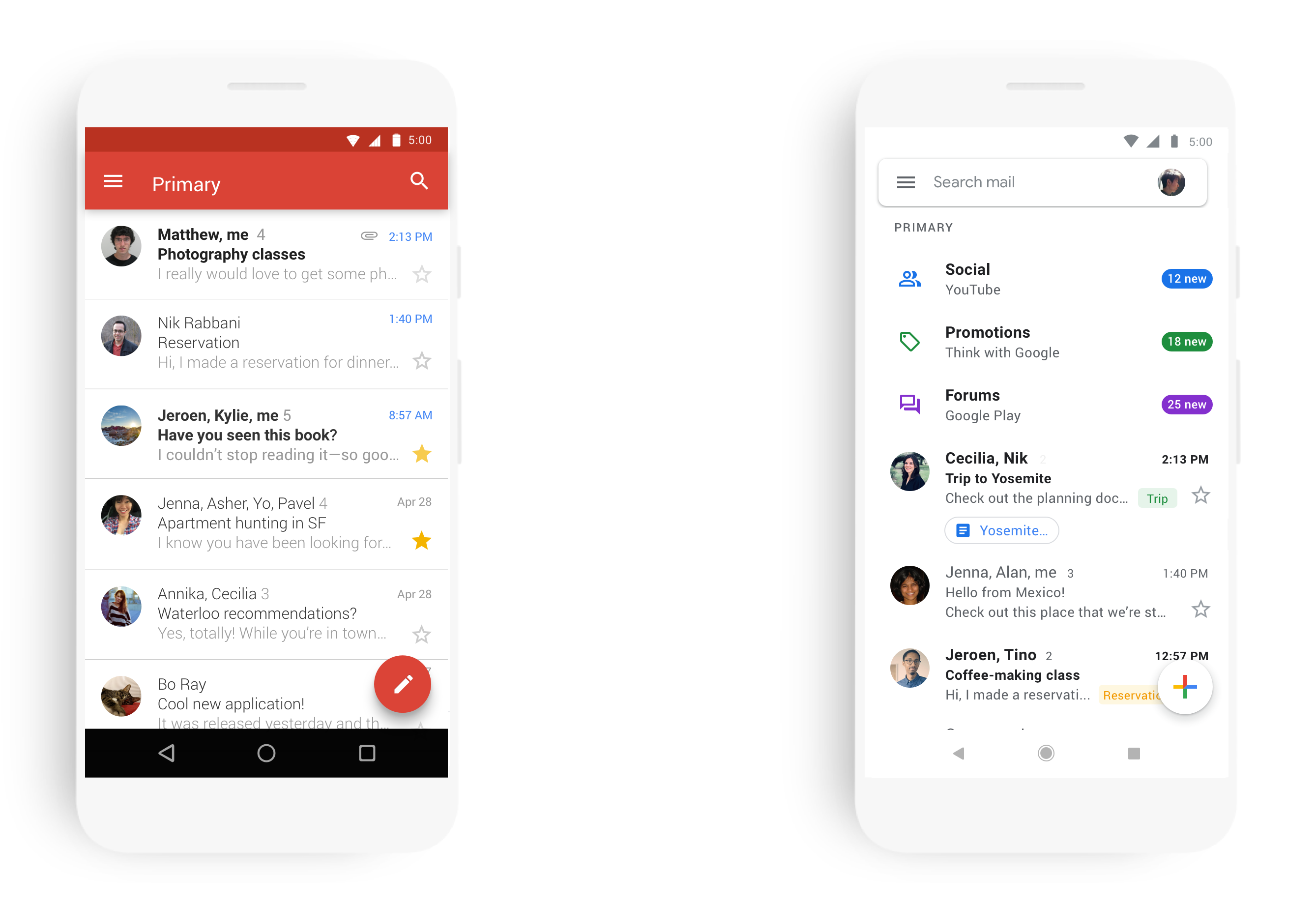
I’ve been testing the new app for a bit and quickly settled on the comfortable view since I never found the attachment chips all that useful in day-to-day use.
In line with Google’s Material Design guidelines, all the styles feature relatively subtle but welcome animations that don’t take a lot of time but give you a couple of extra visual cues about what’s going on as you work your way to Inbox Zero.

Google also notes that the new design makes it a bit easier to switch between accounts. I’m not sure I agree (I definitely find the implementation of this in Inbox, which is sadly going away soon, easier to use), but if you regularly use this feature, it’s still easy enough to use. The switcher is now part of the search bar, though, which is a bit confusing and took me a moment to find.

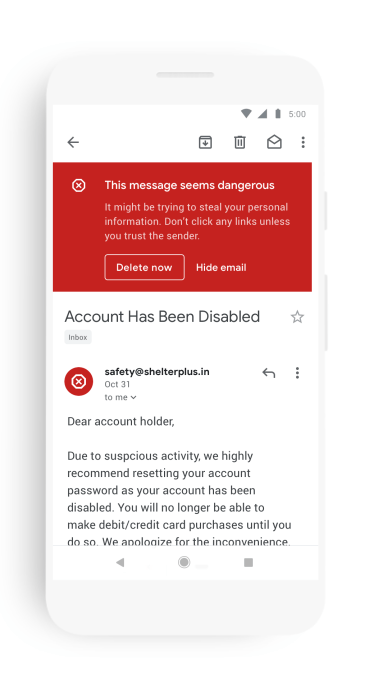
One nice addition to the mobile app is that the large red phishing and scam warning box from the web version now also appears in the mobile app.


from TechCrunch https://tcrn.ch/2HEIwIN
via IFTTT

Comments

Popular posts from this blog

The Silent Revolution of On-Device AI: Why the Cloud Is No Longer King

Introduction For years, artificial intelligence has meant one thing: the cloud. Whether you’re asking ChatGPT a question, editing a photo with AI tools, or getting recommendations on Netflix — those decisions happen on distant servers, not your device. But that’s changing. Thanks to major advances in silicon, model compression, and memory architecture, AI is quietly migrating from giant data centres to the palm of your hand. Your phone, your laptop, your smartwatch — all are becoming AI engines in their own right. It’s a shift that redefines not just how AI works, but who controls it, how private it is, and what it can do for you. This article explores the rise of on-device AI — how it works, why it matters, and why the cloud’s days as the centre of the AI universe might be numbered. What Is On-Device AI? On-device AI refers to machine learning models that run locally on your smartphone, tablet, laptop, or edge device — without needing constant access to the cloud. In practi...

Apple’s AI Push: Everything We Know About Apple Intelligence So Far

Apple’s WWDC 2025 confirmed what many suspected: Apple is finally making a serious leap into artificial intelligence. Dubbed “Apple Intelligence,” the suite of AI-powered tools, enhancements, and integrations marks the company’s biggest software evolution in a decade. But unlike competitors racing to plug AI into everything, Apple is taking a slower, more deliberate approach — one rooted in privacy, on-device processing, and ecosystem synergy. If you’re wondering what Apple Intelligence actually is, how it works, and what it means for your iPhone, iPad, or Mac, you’re in the right place. This article breaks it all down.   What Is Apple Intelligence? Let’s get the terminology clear first. Apple Intelligence isn’t a product — it’s a platform. It’s not just a chatbot. It’s a system-wide integration of generative AI, machine learning, and personal context awareness, embedded across Apple’s OS platforms. Think of it as a foundational AI layer stitched into iOS 18, iPadOS 18, and m...

Max Q: Anomalous

Hello and welcome back to Max Q! Last week wasn’t the most successful for spaceflight missions. We’ll get into that a bit more below. In this issue: First up, a botched launch from Virgin Orbit… …followed by one from ABL Space Systems News from Rocket Lab, World View and more Virgin Orbit’s botched launch highlights shaky financial future After Virgin Orbit’s launch failure last Monday, during which the mission experienced an  “anomaly” that prevented the rocket from reaching orbit, I went back over the company’s financials — and things aren’t looking good. For Virgin Orbit, this year has likely been completely turned on its head. The company was aiming for three launches this year, but everything will remain grounded until the cause of the anomaly has been identified and resolved. It’s unclear how long that will take, but likely at least three months. Add this delay to Virgin’s dwindling cash reserves and you have a foundation that’s suddenly much shakier than before. ...